The Account Creation process starts with your company / HR department. Once you have been added into the program, follow these steps to create your GetPaid account:
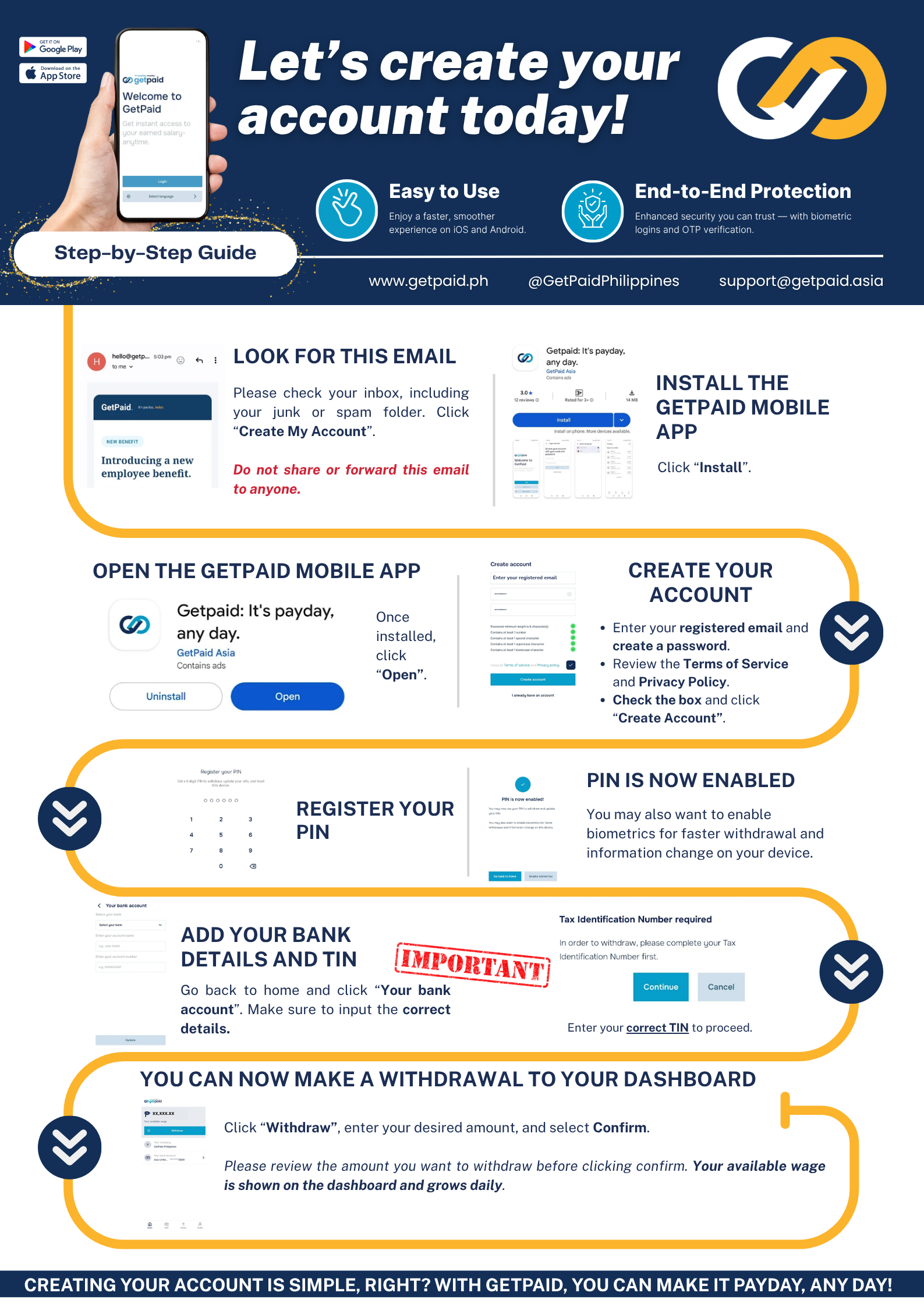
Step-by-step, in text
The same steps as the guide above, written out in case the image doesn't load or you'd rather search for a specific step:
- Check your email. Look for the "Welcome to GetPaid" email (check your inbox, including junk/spam) and click "Create My Account." Don't share or forward this email to anyone else.
- Install the GetPaid mobile app from the App Store or Google Play.
- Open the GetPaid app and tap "Open."
- Create your account. Enter your registered email and create a password, review the Terms of Service and Privacy Policy, check the box, then tap "Create Account."
- Register your PIN. Your PIN is now enabled. You may also want to enable biometrics (fingerprint/face) for faster withdrawals and information changes on your device.
- Add your bank details and TIN. Go back to home and tap "Your bank account." Make sure your bank details are correct, and enter your correct Tax Identification Number (TIN) — this is required before you can withdraw.
- Make a withdrawal. Tap "Withdraw," enter your desired amount, and select "Confirm." Your available wage is shown on your dashboard and grows daily.
Was this article helpful?
That’s Great!
Thank you for your feedback
Sorry! We couldn't be helpful
Thank you for your feedback
Feedback sent
We appreciate your effort and will try to fix the article